

Roadmaps
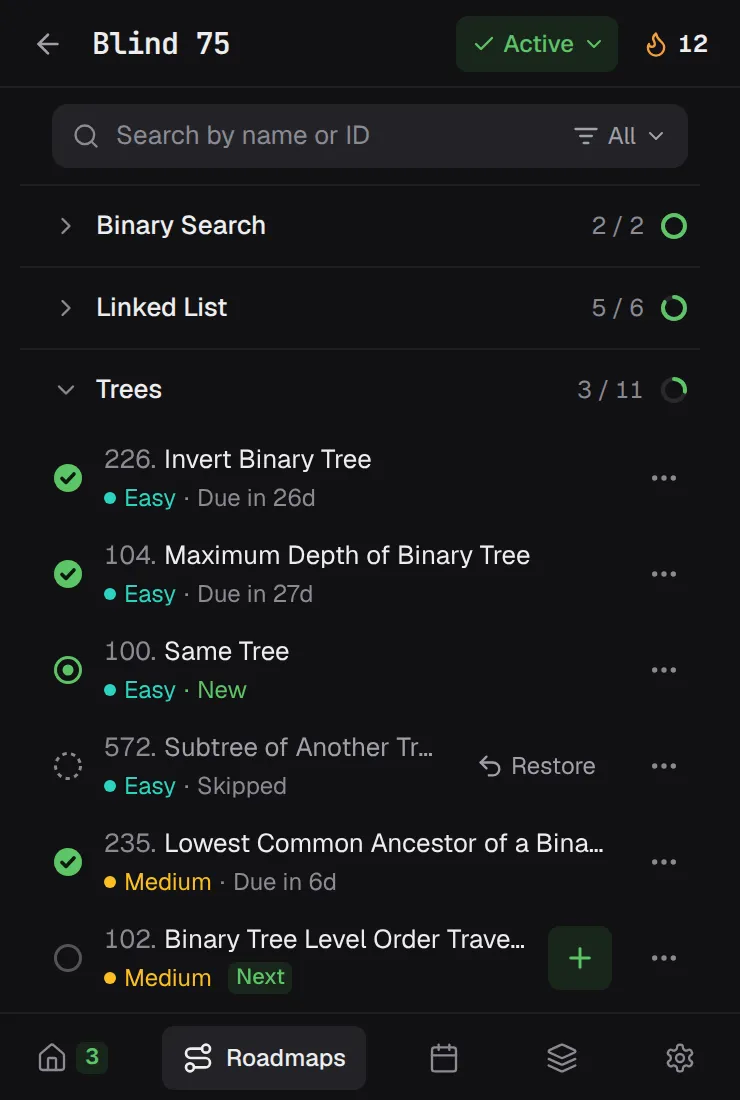
Work through Blind 75, NeetCode 150, NeetCode 250, or Grind 75. LeetSRS tracks your progress by topic and hands you the next problem. Everything you've rated stays in your review schedule.
You solved it once. Could you solve it again next month? LeetSRS brings each LeetCode problem back right before you'd forget it, so what you practice actually sticks.
See how it worksFree & open sourceNo accountData stays in your browser
Most prep is one and done: solve it, feel good, move on. A few weeks later the approach is gone. Spaced repetition fixes that. You revisit each problem at growing intervals, and every review makes the memory last longer.
LeetSRS uses FSRS, a modern spaced-repetition scheduler, to time every review from your own ratings.
LeetSRS lives on the LeetCode problem page and in your toolbar. There's nothing to set up and nothing to copy into flashcards.
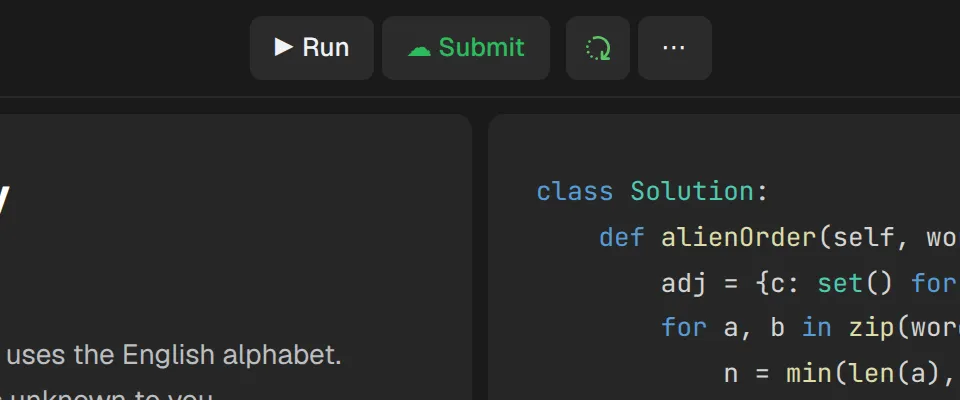
Pick your own problem, or open the next one from your roadmap. The LeetSRS button sits right next to Submit.
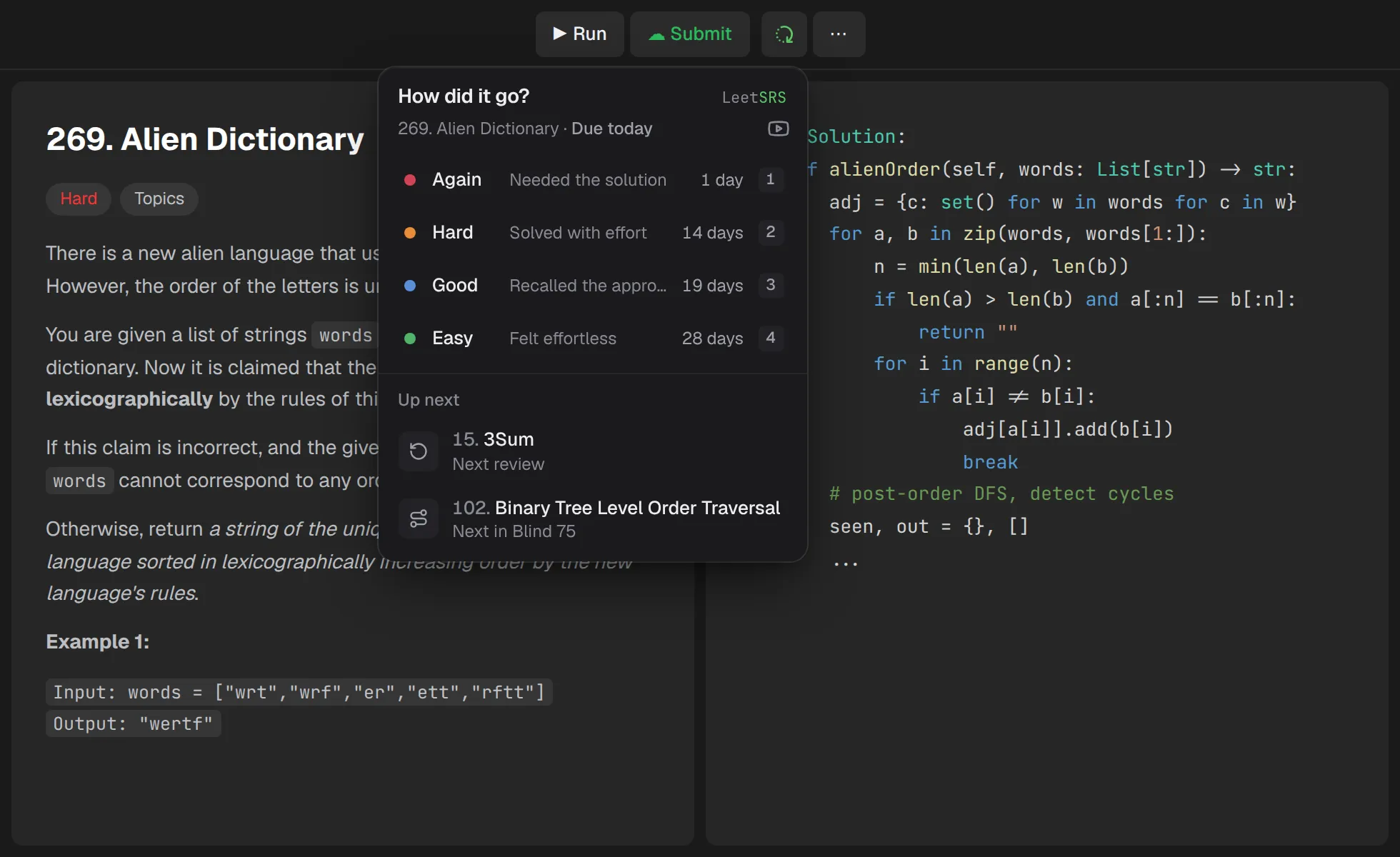
After an accepted submission, the rating panel opens on its own. Pick how it went, and you'll see when the problem comes back before you commit. Keys 1–4 work too, and Undo is one click away. Then jump straight to your next review or roadmap problem.
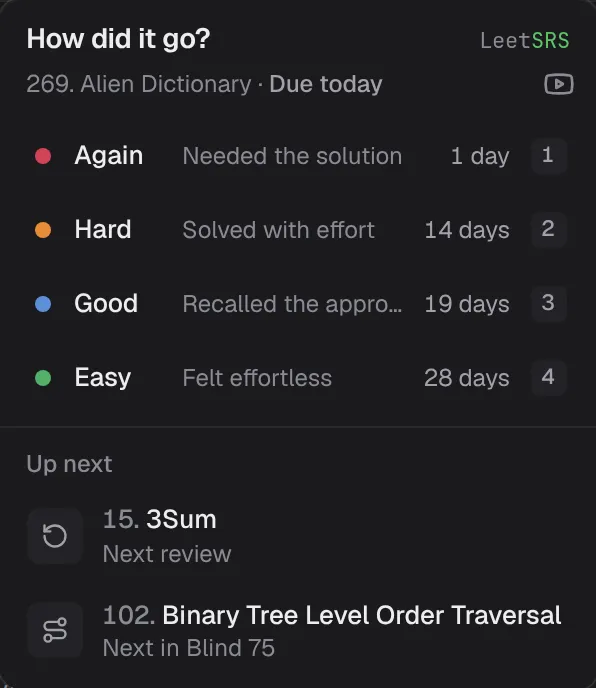

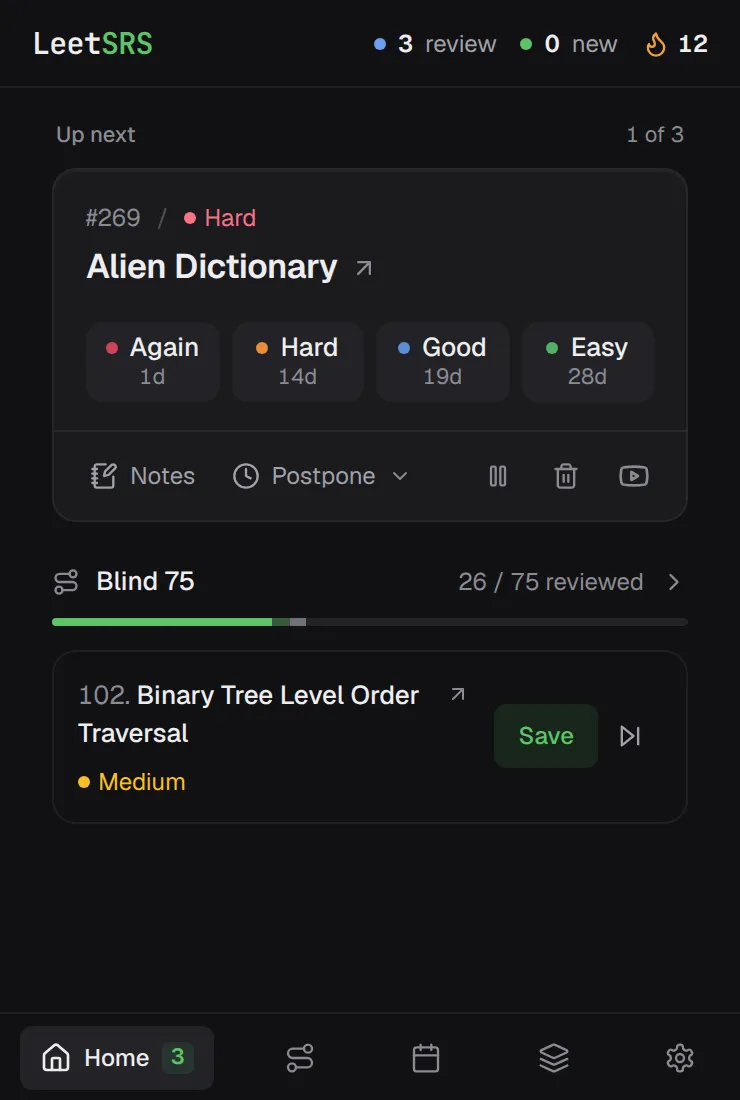
Open LeetSRS and your due problems are waiting, one at a time. Re-solve it, rate it again, and the schedule adapts. Problems you know drift further out. The ones you don't come back sooner.
Follow a proven list, see what's coming, and keep every problem you've rated in rotation.
Work through Blind 75, NeetCode 150, NeetCode 250, or Grind 75. LeetSRS tracks your progress by topic and hands you the next problem. Everything you've rated stays in your review schedule.
A rolling four-week forecast shows what's due today and how your reviews are spread over the coming weeks.
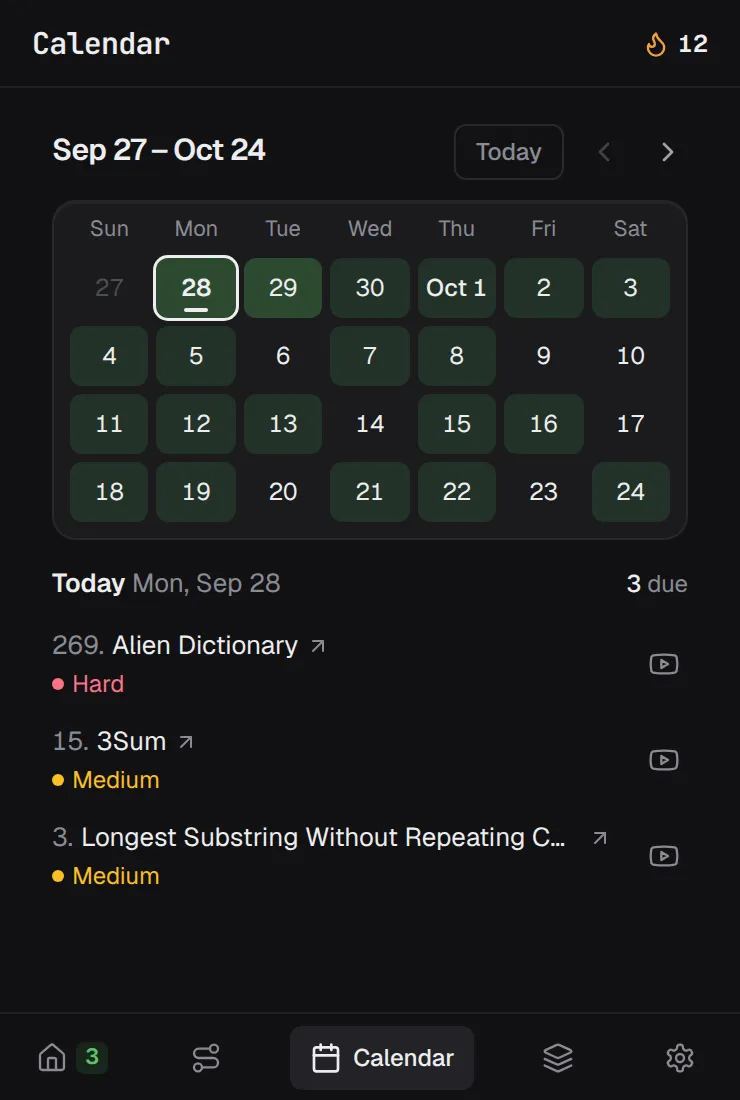
Due problems wait on Home, one at a time. Rate them right there once you've re-solved them.
Keep a note on each problem, and jump to a video solution when you're stuck.
Busy week? Push a review back, or pause a problem you don't need right now.
Optionally reset the editor when a problem is due, so you're recalling the approach instead of rereading it.
Cap how many new problems you take on each day, and keep your streak going.
Works on leetcode.com and leetcode.cn, in English or Simplified Chinese.
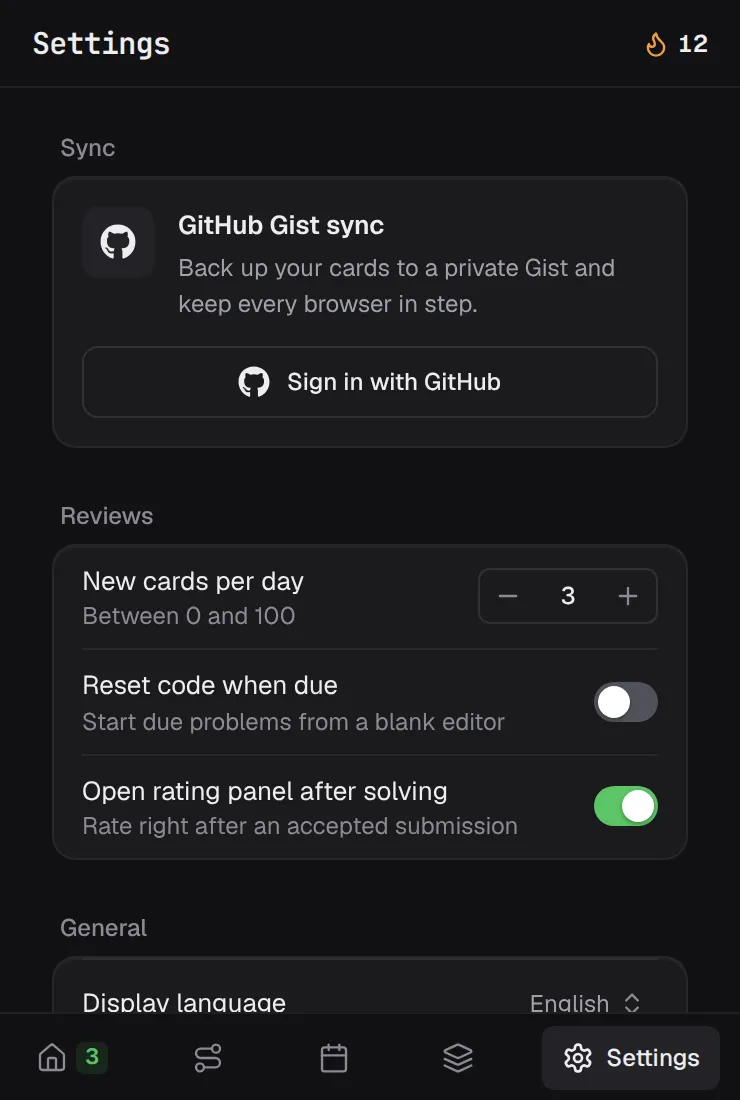
In Settings, under Data & backups, select Export backup to save a JSON file. Select Import backup to restore one. Importing replaces all your current practice data.
“LeetSRS is honestly super helpful. It reminds me to review problems before I forget them, and it keeps my practice from feeling random.”
“Golden gem! SRS for leetcode it's absolute GOAT, you can't find something better. Please add support for mozilla :)”
Yes. LeetSRS is free and open source under the MIT License.
LeetSRS is available for Chrome and Firefox. Choose your browser to install it from the Chrome Web Store or Firefox Browser Add-ons.
Choose your browserNo. Your practice data stays in your browser. If you want to sync across devices, you can connect your own GitHub account, and LeetSRS stores a backup in a Gist you own.
After each attempt you rate your recall: Again, Hard, Good, or Easy. LeetSRS feeds your rating and review history into FSRS, a modern spaced-repetition scheduler, to pick the next review date. Problems you know well come back less often, and problems you struggle with come back sooner.
No. Roadmaps are optional. Rate any LeetCode problem from the LeetSRS button next to Submit, and it joins your review schedule.
Yes. Export a JSON backup from Settings and import it on another computer, or turn on GitHub Gist sync to keep every browser in step.
How backups and sync workAdd LeetSRS, open any LeetCode problem, and rate it after you solve it. Your first review is scheduled.
See how it works